
NEWS
LATEST NEWS
- 01How to calibrate drone RC controller | Full Step-by-Step Guide
- 02Drone RC Radio Controller: Ultimate Maintenance & Calibration Guide
- 03Drone RC Controller Battery Replacement | Full Guide
- 04WFLY WFT06II Detailed Manual
- 05WFLY ET16S Detailed Manual
- 06WFLY ET16Pro Detailed Manual
- 07How to Clean Drone Remote Controller | Complete Step-by-Step Guide
- 08WFLY ET16 Detailed Manual
- 09WFLY ET12 Detailed Manual
- 010WFLY ET10 Detailed Manual

Address:3rd Floor,C1 Buliding,Xiangli Industry Park,Heping Haoye Road,Baoan District,Shenzhen,Guangdong,China.
Zip Code: 518103
Phone: +86 13410681808
E-mail:sale@radiocontrollers.com
NEWS
HOMENEWS
Drone RC Controller Battery Replacement | Full Guide
2026-05-27 10:20:54 View:2The battery is the lifeblood of your drone RC controller. A worn, swollen, or degraded battery leads to sudden shutdowns, short flight times, signal instability, and even safety hazards. Whether you use a consumer drone or a professional FPV controller, knowing how to safely replace the battery is an essential skill for every pilot.
Many drone pilots ignore battery health until it’s too late. The truth is, most RC controller batteries last 8–12 months with regular use. This complete guide will show you how to identify a bad battery, choose the right replacement, and install it safely without damaging your equipment.
Table of Contents
1. Signs Your RC Controller Battery Needs Replacement
Drone RC controller batteries degrade over time. Watch for these warning signs:
• Battery drains extremely fast
• Sudden power-off during flight
• Swollen or deformed battery case
• Cannot fully charge or won’t charge
• Controller restarts randomly
• Overheating while charging or using
If you notice any of these symptoms, replace the battery immediately to avoid damage or failure.
2. How to Choose the Right Replacement Battery
Using the wrong battery can destroy your controller. Always check these details:
• Exact model number matching your controller
• Correct voltage (3.7V, 7.4V, etc.)
• Safe and certified LiPo / Li-ion battery
• Genuine or high-quality third-party brand
• Compatible connector type
• Capacity within the original range
3. Safety Precautions Before Replacement
Battery replacement involves electricity and fire risks. Follow these rules:
• Power off the controller completely
• Do not replace swollen or hot batteries
• Work in a cool, dry, non-flammable area
• Do not pull, puncture, or short circuit wires
• Keep old batteries away from children
• Do not use force to open the controller
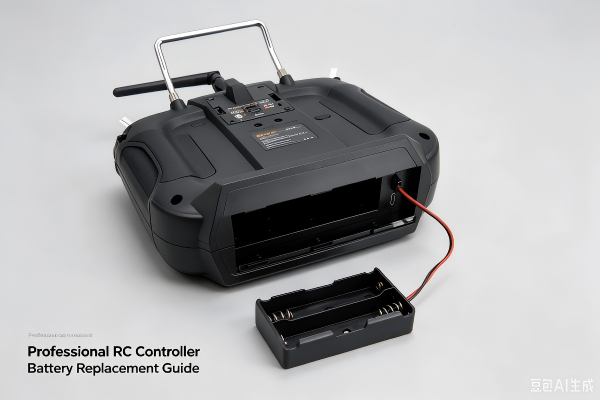
4. Step-by-Step Battery Replacement Guide
Follow these steps for safe and easy battery replacement:
1. Power off and disconnect the controller
2. Remove the battery cover or screws
3. Gently unplug the old battery connector
4. Remove the old battery without bending wires
5. Insert the new battery in the correct position
6. Connect the plug firmly and securely
7. Reattach the cover and screws
8. Test power and charging functions
5. New Battery Activation & Calibration
New batteries require proper setup for best performance:
1. Charge the new battery to 100% slowly
2. Power on the controller and test all functions
3. Calibrate the controller if needed
4. Use until low power, then recharge fully
5. Repeat 2–3 cycles to activate full capacity
This process ensures stable voltage and long battery life.
6. Common Mistakes to Avoid
Using wrong voltage battery → Burns circuit board
Forcing connectors → Breaks wires and ports
Using low-quality batteries → Fire and explosion risk
Ignoring swelling → Dangerous and destructive
Mixing old and new batteries → Unstable performance
7. Battery Care for Longer Lifespan
| Action | Frequency | Purpose |
|---|---|---|
| Full charge cycle | Once a month | Maintain capacity |
| Store at 50–60% charge | Long-term storage | Prevent degradation |
| Avoid overcharging | Always | Protect battery cells |
| Keep cool & dry | Daily use | Prevent overheating |
8. Frequently Asked Questions
Is a swollen RC controller battery dangerous?
Yes. Stop using it immediately. Swollen batteries can leak, catch fire, or explode.
How long does an RC controller battery last?
8–12 months with normal use, or 300–500 charge cycles.
Can I use any battery for replacement?
No. You must use the same model, voltage, and connector type.
Do I need to calibrate after battery replacement?
Yes, it helps stabilize power reading and controller performance.
How to dispose of old drone batteries?
Recycle at official battery collection points — do not throw in regular trash.
Replacing your drone RC controller battery is simple, safe, and necessary. By following this guide, you can restore your controller’s performance, avoid mid-flight failures, and fly with confidence every time.
RadioControllers provides original replacement batteries, repair parts, and expert support for drone RC systems worldwide.
Recommend