
NEWS
LATEST NEWS
Address:3rd Floor,C1 Buliding,Xiangli Industry Park,Heping Haoye Road,Baoan District,Shenzhen,Guangdong,China.
Zip Code: 518103
Phone: +86 13410681808
E-mail:sale@radiocontrollers.com
NEWS
HOMENEWS
How to calibrate drone RC controller | Full Step-by-Step Guide
2026-05-12 11:08:51 View:3Calibrating your drone RC controller is one of the most important steps to ensure stable, accurate, and drift-free flight. Joystick drift, unstable controls, and inconsistent response are often caused by improper or outdated calibration. This guide will show you how to calibrate a drone RC controller safely and correctly for all types of transmitters.
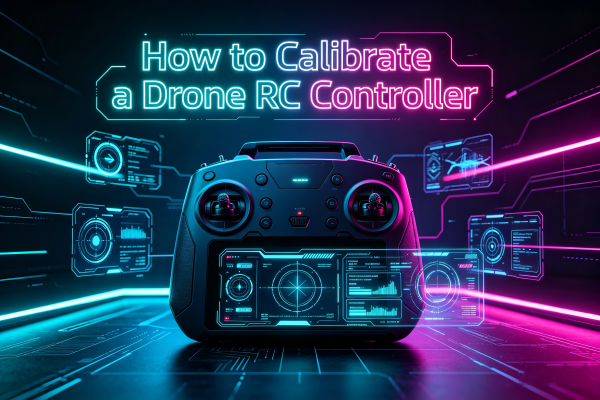
Most modern drone RC controllers require regular calibration to maintain precision. Whether you use a radio controller for FPV racing, aerial photography, or industrial drones, proper calibration ensures your control commands are accurately transmitted to the drone.
Table of Contents
1. What Is RC Controller Calibration & Why It Matters
Calibration configures your drone RC controller to recognize the full range of joystick movement—center, maximum up/down, left/right positions. It helps the system eliminate errors and set accurate output values.
Without calibration:
• Joystick drift occurs even when not touched
• Drone flies in one direction automatically
• Control response is delayed or inconsistent
• Flight performance becomes unstable
• Precision is lost for photography or racing
A well-calibrated RC controller ensures zero drift, 100% precision, and stable flight control.
2. When Should You Calibrate Your Drone RC Controller
Must calibrate if:
• You notice joystick drift
• After replacing joysticks or parts
• After dropping or hitting the controller
• Before first-time use
• Every 1–3 months for regular users
• After long-term storage
• After flying in extreme temperatures
3. Preparation Before Calibration
• Fully charge the RC controller battery
• Place the controller on a flat, stable surface
• Turn off nearby magnetic or electrical interference
• Connect the controller to the official app
• Do not touch joysticks during calibration
4. Full Step-by-Step Calibration Guide
Follow these steps to calibrate any drone RC controller correctly.
Step 1: Power on the controller
Turn on your drone RC transmitter and ensure stable power.
Step 2: Connect to the official app
Open the drone or RC controller app and pair successfully.
Step 3: Enter calibration mode
Find the joystick calibration option in the settings menu.
Step 4: Keep controller level and steady
Do not move or tilt the device during the process.
Step 5: Move joysticks to full positions
Move both joysticks to the farthest points in all directions.
Step 6: Return to center and confirm
Leave joysticks at neutral position and save calibration.
Step 7: Test for drift
Check if joysticks stay centered without moving.
5. How to Check If Calibration Is Successful
• Joysticks return to center automatically
• No drift in the app interface
• Error value within ±0.1% to ±0.5%
• Drone hovers without automatic movement
• All controls respond smoothly
6. Common Calibration Mistakes to Avoid
Do not calibrate on an uneven surface
Do not touch joysticks during calibration
Do not calibrate with low battery
Do not skip saving settings
Do not calibrate near strong signals or magnets
7. Troubleshooting: Calibration Not Working
Drift still exists → Clean joysticks + recalibrate
Cannot enter calibration → Update firmware + restart
Calibration fails → Check joystick hardware damage
Drone still unstable → Recalibrate + check drone gyro
8. Frequently Asked Questions
How often should I calibrate my drone RC controller?
Every 1–3 months for regular use, or when drift appears.
Can I fly without calibrating the RC controller?
No, it may cause drift, unstable flight, or safety risks.
Do I need to calibrate after cleaning the controller?
Yes, it is highly recommended for best performance.
How long does RC controller calibration take?
Only 1–3 minutes for the full process.
Proper calibration is the key to safe, stable, and precise drone flights. By following this guide, you can easily calibrate your drone RC controller and eliminate joystick drift forever.
RadioControllers provides professional drone RC systems, calibration support, and repair parts for pilots worldwide.
Recommend